
Updated September 23, 2026
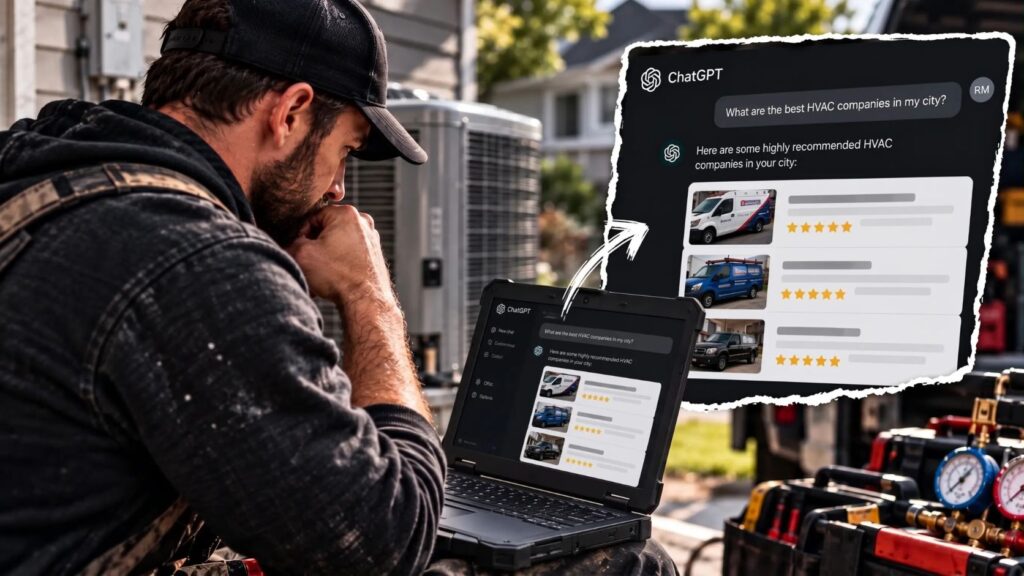
It’s minus 28 in Calgary on a January night, and the furnace quits. The homeowner doesn’t scroll through ten websites. They ask ChatGPT who to call, and the answer names three companies. If yours isn’t one of them, that job is gone before your phone rings.
Here’s how to get recommended by ChatGPT: let OpenAI’s search crawler, OAI-SearchBot, into your site, build honest reviews, keep your Google Business Profile and Bing Places listing complete, match your details across Canadian directories, and add schema that confirms what your pages say [1][2].
Anyone can run that search. ChatGPT’s web search works on the free plan, even for people who aren’t signed in [1]. OpenAI also says placement isn’t guaranteed, so no one can promise your name comes up [1]. What you control is whether ChatGPT can find you, confirm your details and trust what it reads.
The five steps below run in the order that matters, starting with the one most HVAC sites miss.
How ChatGPT Picks a Company to Recommend
In short: ChatGPT turns a homeowner’s question into web searches, adds their rough location, and reads what comes back. OpenAI lists Microsoft among its search providers and uses third-party providers for local listings. Google isn’t on that list [1].
ChatGPT often rewrites a question into shorter searches before it answers, and it adds the person’s approximate location from their IP address [1]. OpenAI’s own example turns “good restaurants near me” into “top restaurants San Francisco” [1]. A banging furnace in Calgary could become a search like “furnace repair Calgary.”
Here’s where those searches can land.
| Route | What the source says | What it means for your shop |
|---|---|---|
| Your website | Sites appear in ChatGPT search when OAI-SearchBot is allowed to crawl them [1] | Step 1 decides whether you’re eligible at all |
| Search providers | OpenAI lists Microsoft among the providers it sends search queries to [1] | Your Bing presence, including Bing Places, feeds this route |
| Local listing providers | ChatGPT may share location with trusted third parties for nearby business listings [1] | Your name, address and phone need to match everywhere |
| Yelp | Yelp licensed its reviews, photos and business details to OpenAI in July 2026 [3] | An unclaimed or thin Yelp page now affects ChatGPT answers |
Your Google Business Profile still matters. Google says it helps local businesses show up in its own AI responses [4]. For ChatGPT, though, it’s one listing among several, not the master record.
ChatGPT ranks results for relevant, reliable information [1]. Your pages supply the relevance. Reviews and matching listings supply the reliability.
Step 1: Let ChatGPT’s Search Crawler Into Your Site
In short: ChatGPT search relies on a crawler called OAI-SearchBot, which is separate from GPTBot, the training crawler many sites block. Allow OAI-SearchBot, and make sure your host lets OpenAI’s traffic through [1][2].
The bot that decides whether ChatGPT search can show your site is OAI-SearchBot [2]. GPTBot is a different crawler that collects training data, and OpenAI treats the two as independent settings, so blocking GPTBot doesn’t block search, and allowing it doesn’t let search in [2].
Here’s what each OpenAI bot does.
| Bot | What it does | If you block it |
|---|---|---|
| OAI-SearchBot | Finds pages to show in ChatGPT search answers | Your site won’t be shown in ChatGPT search answers, though it can still appear as a navigational link [2] |
| GPTBot | Collects content that may be used to train OpenAI’s models | Your content stays out of training. Search isn’t affected [2] |
| ChatGPT-User | Visits a page when someone asks ChatGPT a question that needs it | It isn’t used to decide what appears in search, and robots.txt rules may not apply to it [2] |
If you’d like to stay out of AI training but stay visible in search, the robots.txt file looks like this:
User-agent: OAI-SearchBot
Allow: /

User-agent: GPTBot
Disallow: /
That file is only half the job. OpenAI says your web host or content delivery network (CDN) also has to allow traffic from its published search bot IP addresses [1]. A security plugin, firewall or CDN setting that blocks AI bots can turn OAI-SearchBot away even when robots.txt allows it.
A quick check:
- Open yourcompany.ca/robots.txt in a browser and look for OAI-SearchBot, GPTBot or a blanket “Disallow: /” line.
- Ask whoever manages your hosting or CDN whether any bot or firewall rule blocks OpenAI.
- After a fix, allow about 24 hours for ChatGPT search to pick up the change [2].
Step 2: Build Reviews That Hold Up Under Canadian Rules
In short: Ask every customer for an honest review after each job, keep staff out of your own reviews, and follow each platform’s rules. In Canada, anyone connected to your business who posts a review has to say so [5].
Reviews do double duty now. Yelp’s licensed reviews can appear inside ChatGPT answers [3], and Google reviews shape your Google results. The shortcut is what doesn’t hold up. The Competition Bureau says employees who review their own company without disclosing the relationship mislead consumers, and the Competition Act’s deceptive marketing rules apply to anyone promoting a business interest [5]. That covers staff reviews posted as customers and anonymous “these guys were great” posts in Reddit threads or community groups.
Each platform also sets its own rules on asking.
| Platform | Can you ask for reviews? | What to avoid |
|---|---|---|
| Yes, from every customer | Incentives of any kind, and asking only the customers you expect to be happy [6] | |
| Yelp | No. Yelp asks businesses not to request reviews, and its software may not recommend reviews that look prompted [7] | Any request, including one after a survey, and any freebie or discount [7] |
A simple routine works best. When the invoice goes out, send the same text to every customer:
Thanks for having us out today. If you have a minute, an honest Google review helps other Calgary homeowners find us: [link]
Then answer every review, good or bad, within a few days. A calm reply to a two-star review tells the next reader more than ten five-star ones.
Step 3: Keep Your Google Business Profile and Bing Places Complete
In short: Fill in your Google Business Profile completely, then import it into Bing Places so the Microsoft side matches. Google uses its profiles in its own AI answers, and Microsoft is one of ChatGPT’s search providers [1][4].
Google says Business Profiles help businesses show up in its AI responses and other search results [4]. For an HVAC shop, complete means a primary category plus the extras that match your work, and a service area covering the neighbourhoods your trucks reach. Add hours that show whether you take after-hours calls, a services list, and photos of real jobs and vans. A profile with one category and no hours leaves any AI tool little to confirm.
Bing Places for Business is Microsoft’s version, and it matters here because Microsoft is on ChatGPT’s list of search providers [1]. You don’t have to build it from scratch:
- Sign in to Bing Places for Business.
- Choose to import from Google Business Profile and link the Google account [8].
- Pick the location, then check that categories, hours and phone number came across correctly.
Once the accounts are linked, changes you make on Google update Bing the next time the two sync [8]. One caution: when Bing matches an existing listing, it overwrites that listing with Google’s data [8]. Fix Google first, then let Bing copy it.
Step 4: Match Your Listings Across Canadian Directories
In short: Claim your Yelp page, then make your name, address, phone, website, hours and categories match on every directory homeowners check. OpenAI doesn’t publish its full list of listing sources, so consistency is the safe bet [1].
Picture a shop that moved across Calgary six years ago. Its website and Google profile are current, but two directories still show the old address and a phone number that rings nowhere. Anything cross-checking those details now finds two different answers.
OpenAI says ChatGPT can draw on third-party providers for nearby business listings without naming them [1]. The one confirmed by name is Yelp, through its July 2026 licensing deal [3]. Start there, then cover the sites Canadian homeowners already use.
| Site | Why it matters for HVAC | What to check |
|---|---|---|
| Yelp | Licensed to OpenAI for ChatGPT answers [3] | Claim the free page and add services, hours and photos. Don’t ask for reviews [7] |
| HomeStars | Canadian site homeowners use to compare contractors | Categories, service area and phone match your Google profile |
| Better Business Bureau | Profiles can exist whether or not you’re accredited | Name, address and phone are current |
| Yellow Pages Canada | Long-running Canadian business directory | Old addresses and numbers removed |
| Many homeowners check it before they call | Hours, phone and website link match |
Matching means the same business name, address or service area, phone number, website, hours and categories on every site. Fix duplicates before adding new listings. Five accurate profiles beat fifty you can’t keep current.
Listings confirm who you are. Mentions from others add weight. Your manufacturer’s dealer locator, a trade association’s member list, a local news story or a community sponsorship page all describe you in someone else’s words. Google says chasing inauthentic mentions isn’t as helpful as it seems [4], so go after the real ones: the associations you belong to and the brands you’re certified to install.
Step 5: Add Schema That Confirms What Your Pages Say
In short: Schema is code that labels the business details your page already shows. Use the HVACBusiness type, match it to your listings, and leave review markup off your own site, since Google won’t turn it into stars [9].
Schema is a set of labels, written in code, that tells search tools what a page is about: that you’re an HVAC business, where you work and when you answer the phone. The schema.org vocabulary has a type for this, HVACBusiness, which sits under LocalBusiness.
Keep expectations level. Google says structured data isn’t required for its AI search and there’s no special markup for it, though it still helps with rich results [4]. OpenAI’s help and crawler pages don’t list schema as a requirement either [1][2]. That’s why it comes last.
The useful properties repeat facts you’ve already fixed:
| Property | What it confirms | Must match |
|---|---|---|
| name, telephone, address | Who you are and how to reach you | Your Google profile and directories |
| areaServed | The towns and neighbourhoods you cover | Your service area from Step 3 |
| openingHours | When you take calls | Your listed hours |
| sameAs | Links to your Yelp, HomeStars and other profiles | Your listings from Step 4 |
If your service page says “serving Calgary, Airdrie and Cochrane,” areaServed should say the same.
Leave out review markup about your own business. Google says a LocalBusiness page that marks up reviews about itself, even through an embedded Google reviews widget, isn’t eligible for review stars [9]. Most WordPress SEO plugins add basic business schema, and a developer can fill in the rest.
How to Rank in ChatGPT for the Jobs You Want
In short: Give every job you want its own page, answer the questions homeowners ask about it, and add write-ups of real calls. Build pages for real services and real service areas, not for every search variation [4].
Remember the rewrite from earlier: a homeowner’s question becomes a search like “furnace repair Calgary” [1]. If your only page is a general services list, nothing on your site matches that search cleanly. Each job you want needs its own page.
| Homeowner question | Page that should answer it |
|---|---|
| Who fixes furnaces at night in Calgary? | Furnace repair page, with your after-hours policy |
| Is a heat pump worth it for Alberta winters? | Heat pump installation page |
| How much does a new AC unit cost? | Air conditioning page, with a price range you stand behind |
| Do you service my area? | A page for each area you actually serve |
Your homepage and About page should say the basics in plain words: that you’re an HVAC company, which services you offer and which areas you cover, so every page backs up your listings.
Then add proof. Say a tech finds a cracked heat exchanger on a January call and takes two photos. A short write-up that week, covering what they found, why it mattered and how it was fixed, is first-hand content. Google says unique, experience-based content stands out, and uses a look inside a sewer line as its example [4].
Two more things. Google warns that making separate pages for every search variation, mainly to sway rankings or AI answers, breaks its scaled content abuse policy [4]. And timing matters in Calgary: update furnace pages before the first cold snap and AC pages before summer.
If you’d rather hand this off, our HVAC marketing team builds these pages on the same groundwork as our Calgary SEO service [10][11].
How to Check Your AI Visibility
In short: Once a month, ask ChatGPT the questions your customers ask, count the visits it sends, and check the free AI reports from Google and Microsoft. Then ask callers how they found you.
Start with a test. Turn on search in ChatGPT and ask the questions that matter to your business, such as “Who’s the best furnace repair company in Calgary?” or “Who installs heat pumps near T2H?” Include a city or postal code, which OpenAI suggests for better local results [1]. Use the same questions every month. OpenAI notes that results and citations can be incomplete or out of date [1], so treat any single answer as a sample.
Then check the numbers.
| What to check | Where | What it tells you |
|---|---|---|
| Visits from ChatGPT | Google Analytics, filtered to utm_source=chatgpt.com [12] | How many people clicked through from an answer |
| Google AI Overviews and AI Mode | Search Console’s Generative AI performance report [4] | How often your pages appear in Google’s AI answers |
| Microsoft Copilot | Bing Webmaster Tools’ AI Performance report [13] | Which of your pages Copilot cites |
Finally, ask every caller how they heard about you, and log “ChatGPT” when that’s the answer. A homeowner who reads your name in an answer may call without ever visiting your site.
If you’d like this tracked and acted on every month, that’s what our AI search optimization service covers.
ChatGPT Recommendations: FAQs for HVAC Owners
In short: Quick answers to the questions HVAC owners ask most about getting named in ChatGPT.
Is ChatGPT SEO different from regular SEO?
It builds on regular SEO. Google says optimizing for its AI search is still SEO [4]. ChatGPT SEO adds two extras: letting OAI-SearchBot crawl your site [2], and keeping your details accurate on the routes OpenAI uses, such as Microsoft’s search and Yelp’s licensed data [1][3].
Can I pay to get my business recommended by ChatGPT?
Not inside the answer. OpenAI says ads in ChatGPT are clearly labeled, kept separate from answers, and don’t influence what ChatGPT says [14]. An ad can sit near an answer, but it won’t put your name in one. OpenAI ranks results for relevance and reliability, and placement isn’t guaranteed [1].
How long does it take to get recommended by ChatGPT?
There’s no fixed timeline. A robots.txt fix reaches ChatGPT search in about 24 hours [2]. Reviews, listings and new pages build over months of steady work, and results vary with your market and how many competitors are doing the same.
Should I block GPTBot?
That’s your call. GPTBot collects content that may be used to train OpenAI’s models, and blocking it doesn’t affect ChatGPT search [2]. What matters for recommendations is keeping OAI-SearchBot allowed.
Does ChatGPT read my Google reviews?
OpenAI doesn’t say. It names Microsoft among its search providers and licenses Yelp’s reviews [1][3]. Keep earning Google reviews anyway, because Google uses Business Profiles in its own AI answers [4].
How do I get ChatGPT to recommend my business outside Calgary?
Use the same five steps for every area you serve: a real page for the area, a service area that includes it, and listings that match. Marvel Marketing works with trades across Canada from offices in Calgary, Toronto and Vancouver, so one team can handle several markets [10].
Find Out If ChatGPT Can See Your HVAC Company
In short: Check your crawler settings tonight, then work through reviews, profiles, listings and schema.
Open yourcompany.ca/robots.txt and look for OAI-SearchBot. That five-minute check tells you whether ChatGPT search can use your site at all [1]. Everything after it is steady upkeep, and the next cold snap is when that upkeep pays off.
If you’d like a second set of eyes, book a 20 to 30 minute intro call with Marvel [15]. We’ll talk through what it would take to get your company named in AI answers, and if we’re not the right fit, we’ll point you to someone who is [15].
Sources
- OpenAI Help Center: Searching the web with ChatGPT
- OpenAI Developers: Overview of OpenAI Crawlers
- Axios: Yelp partners with OpenAI to surface reviews in ChatGPT (July 23, 2026)
- Google Search Central: Optimizing your website for generative AI features on Google Search
- Competition Bureau Canada: Online reviews posted by employees, businesses could be liable
- Google Maps User Contributed Content Policy: Prohibited and restricted content
- Yelp Support: Don’t Ask for Reviews
- Bing Places for Business Help: Getting started
- Google Search Central: Review snippet structured data
- Marvel Marketing: HVAC Marketing Company
- Marvel Marketing: Calgary SEO Agency
- OpenAI Help Center: Publishers and Developers FAQ
- Bing Webmaster Blog: Introducing AI Performance in Bing Webmaster Tools Public Preview
- OpenAI: A milestone in expanding access to AI (ChatGPT Ads)
- Marvel Marketing: Book an Intro Call